
We want to share with you a complete reference guide for the shortcodes included in the WooCommerce Country Catalogs plugin.
While our other tutorials show you how to restrict entire products or catalogs, sometimes you just need to hide or show a specific sentence, a promotional banner, or a short message inside a page based on the user’s country. For this, the plugin includes two powerful shortcodes.
In this guide, we will explain exactly how they work and all the parameters you can use.
1- Install WooCommerce Country Catalogs
To use these shortcodes, you first need to have the plugin installed and active on your site. The plugin allows you to create different catalogs for different countries and restrict products by user location.
You can download the plugin here:
Download Country Catalogs for WooCommerce Plugin - or - Read more
2- The [wccr_country] shortcode
This is the main restriction shortcode. It allows you to wrap any text, image, or HTML and decide who gets to see it based on their IP address geolocation. It comes with three parameters:
- countries: This is where you add the 2-letter country codes (like US, GB, SV) or continent names separated by commas.
- disallowed: By default, this is set to false (meaning the text is shown to the countries you selected). If you change it to true, the text will be hidden from those countries and shown to everyone else.
- show_if_unknown_country: Sometimes, a user’s location cannot be detected. By default, this is set to true so the content still displays. You can set it to false to strictly hide the content if the location is unknown.
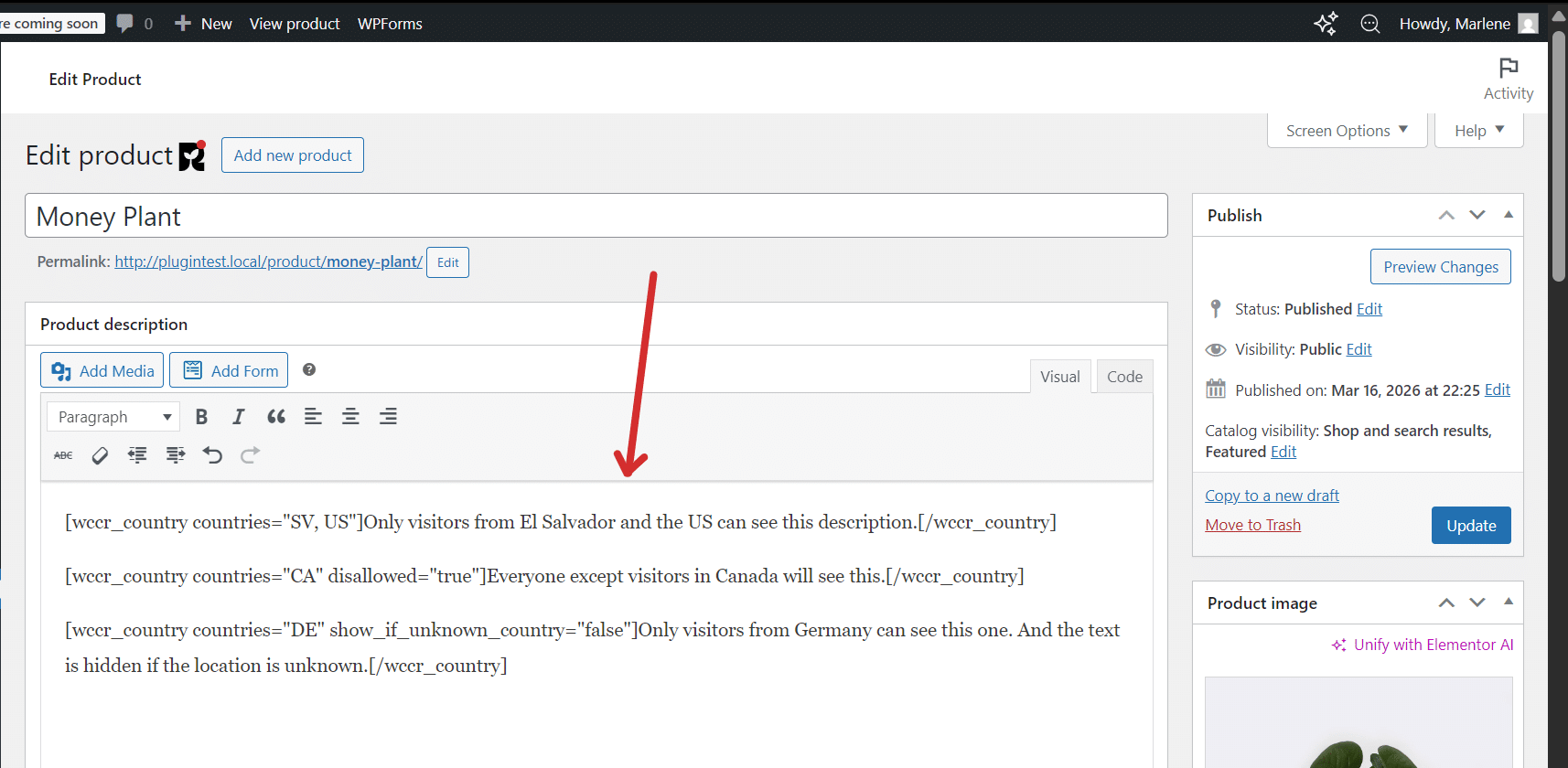
Example 1: Show text only to specific countries
[wccr_country countries="SV, US"]Only visitors from El Salvador and the US can see this.[/wccr_country]Example 2: Hide text from specific countries
[wccr_country countries="CA" disallowed="true"]Everyone except visitors in Canada will see this.[/wccr_country]Important note for SEO: Our plugin automatically detects search engine bots (like Google crawlers and spiders). If a bot visits your page, the shortcode will bypass the location restrictions and allow the bot to read the content, ensuring your SEO is never negatively affected.
3- The [wccr_current_country] shortcode
We also include a secondary, dynamic shortcode that doesn’t need any parameters or closing tags.
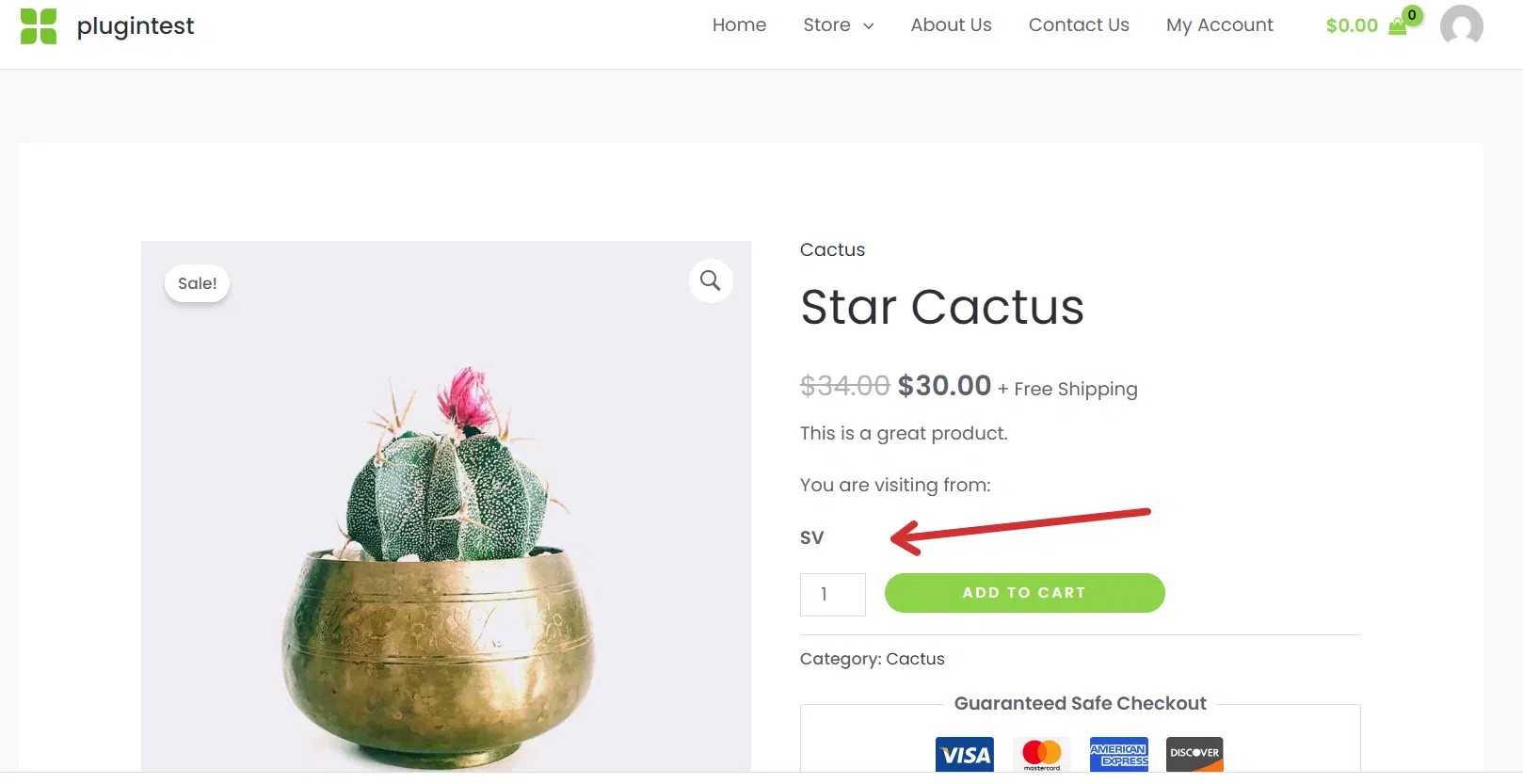
It simply detects and displays the 2-letter country code of the person currently visiting the page.
[wccr_current_country]For example, if a customer from El Salvador is reading your page, placing that shortcode in your text will simply output SV on the screen.
Start restricting your content!
By using these shortcodes and parameters, you have full control over what parts of your content are visible to different countries.
You can download the plugin here:
Download Country Catalogs for WooCommerce Plugin - or - Read more